Stay informed
Subscribe to our newsletter if you'd like to stay informed about Shoutem Extensions and Shoutem UI Toolkit.
Once your extension is done, you can publish it. Although your extension is already uploaded and installed to application, that application can’t be published until extension is published.
By default, every extension that you publish to the market is only visible to you. So, let’s publish it!
$ shoutem publish
Publishing `Restaurants` extension to Shoutem...
Version `0.0.1` of `Restaurants` extensions was published!
Go to Developer console, where you can see your extension.
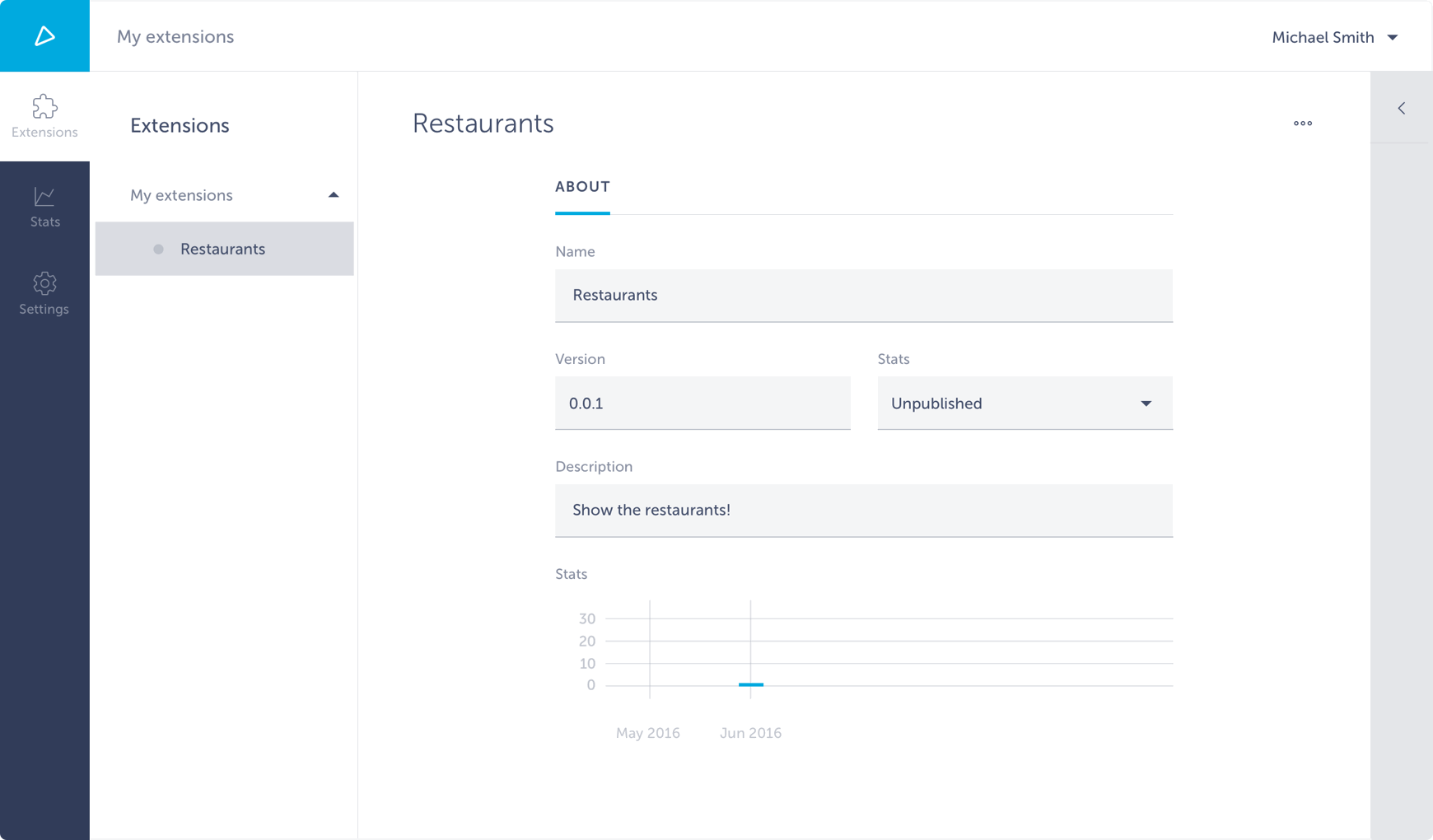
There you can manage general information about your extension, set its visibility and track the analytics. Go back to application dashboard for RestaurantsApp again and click Publish above the preview. That will lead you to screen for Automatic App Publishing.

Shoutem has developed very easy and intuitive process of app publishing, once your app is ready. Simply insert general information on one place and let Shoutem do the rest.
Building complex extensions is easier with local development environment being set. We’ve made tutorial on how to do that.
Apart from extensions, Shoutem has other products ready for boosting your mobile development. Check them out:
Good coding!